Better Boards: New Widgets and Cloning
Boards are how you build your own view of your analytics in Umami. Pick the widgets you care about, arrange them how you want, and get a dashboard that actually answers your questions instead of someone else's.
This update resolves two major gaps. First, the selection of widgets was limited, so we expanded it. Second, once you built a board you were proud of, there was no way to reuse it. Setting up the same layout for a second website meant starting over from scratch.
New widget groups
The widget library got a lot bigger. Alongside the existing metrics bars, charts, tables, and world map, you can now add:
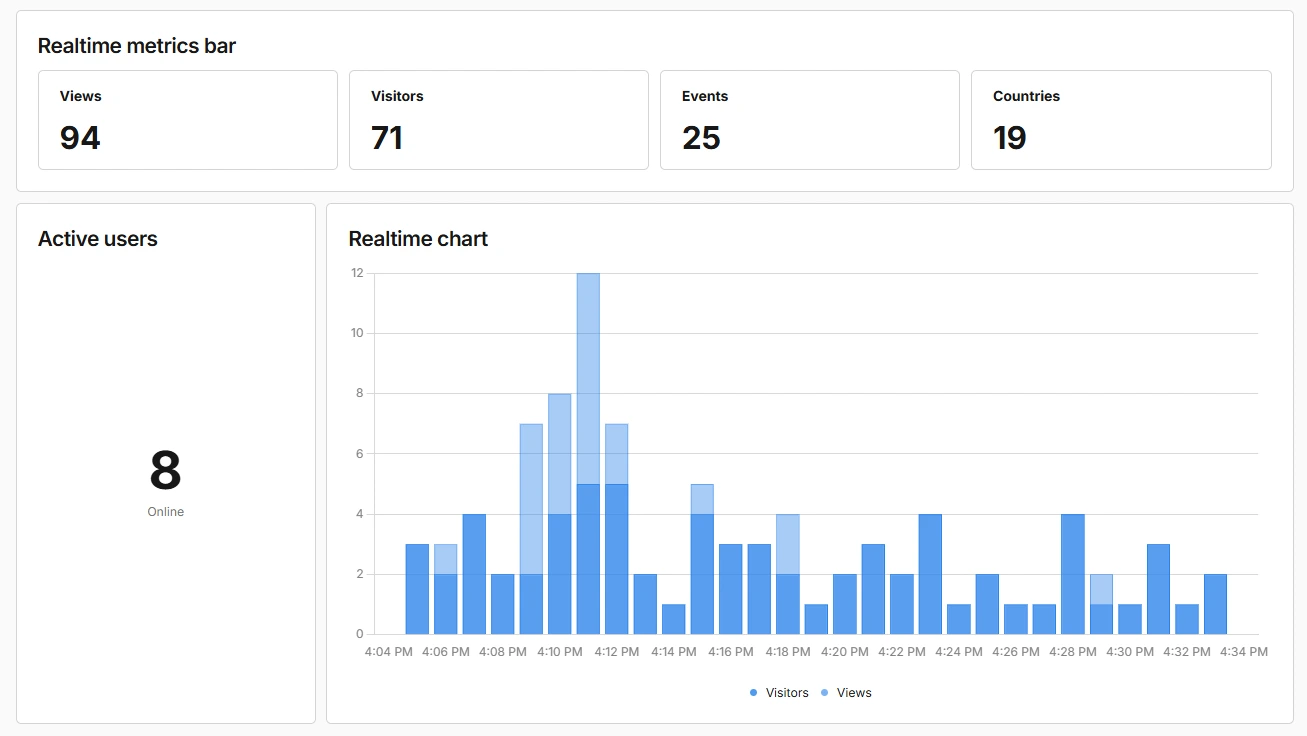
Realtime: A realtime metrics bar, a realtime chart, and an active users counter. Live activity, right on your board, next to everything else.
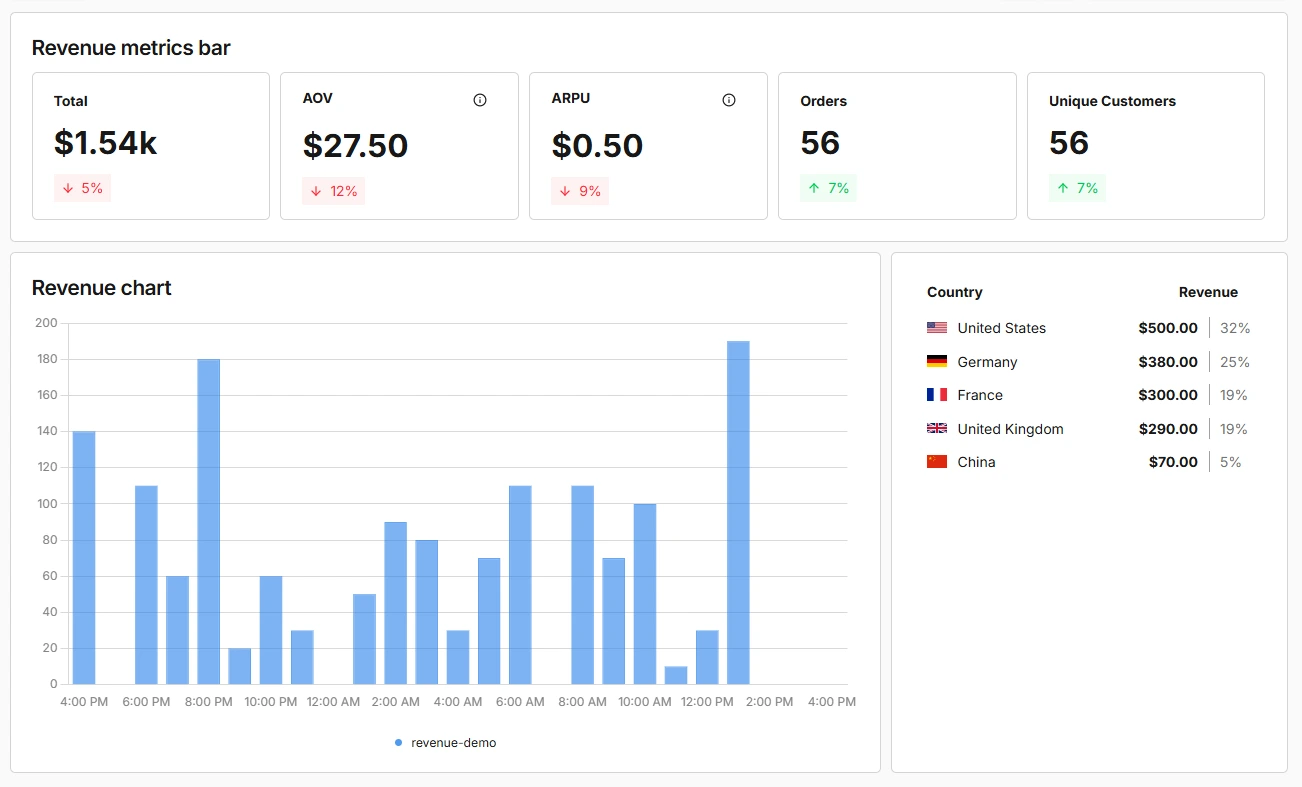
Revenue: A revenue metrics bar, a revenue chart, and a revenue table. If you're tracking payments, you can finally see money and traffic side by side.
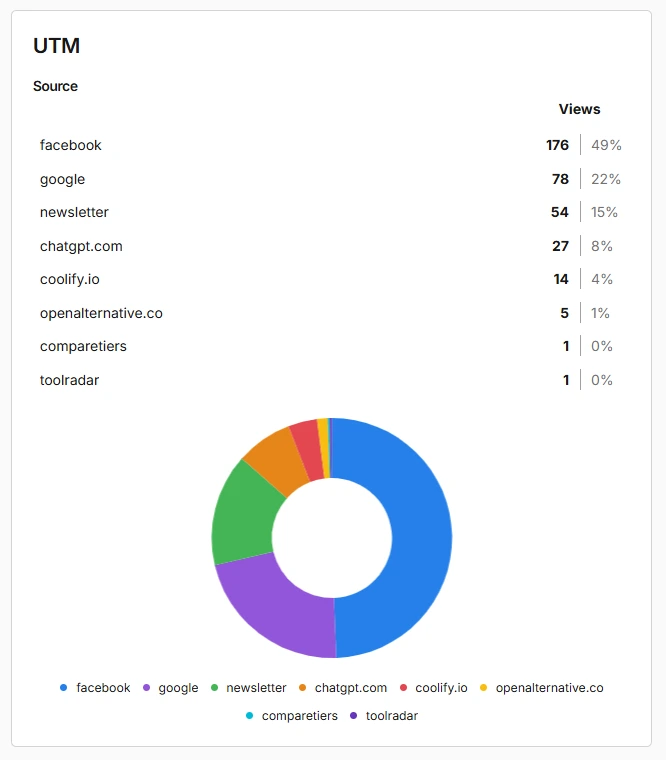
UTM: A configurable UTM breakdown widget. Pick the parameter you want to track, like source, medium, or campaign, and keep an eye on where your visitors are coming from.
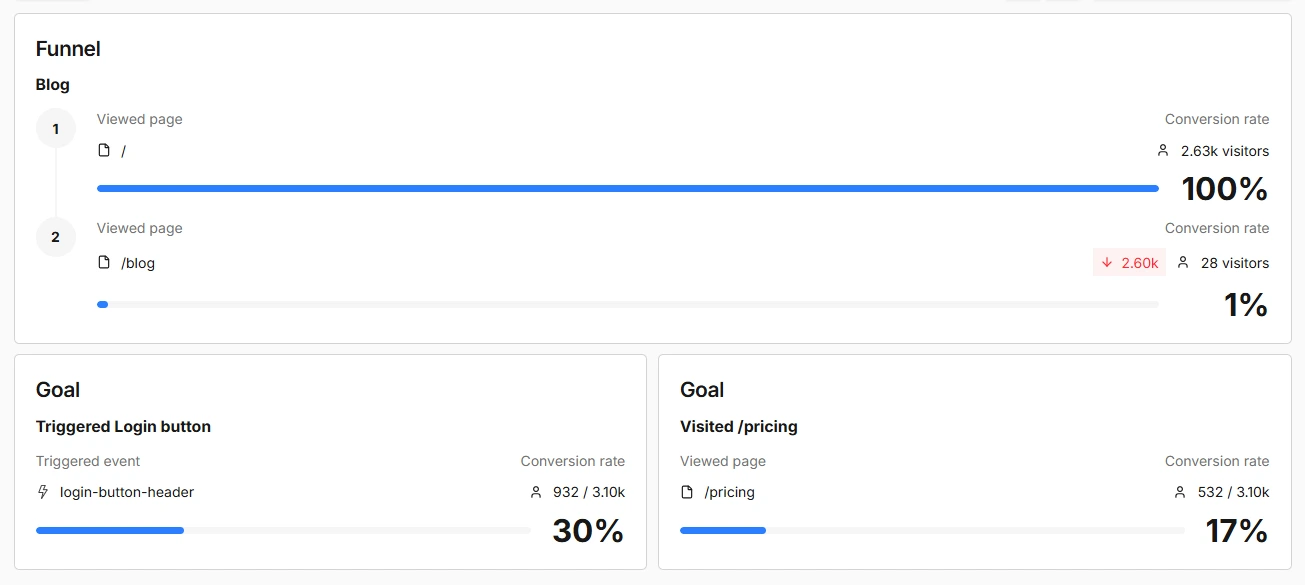
Goals and Funnels: Pin any of your saved goal and funnel reports directly onto a board. No more jumping over to the reports section to check on a conversion you look at every day.
Clone any board
Every board now has a Clone button. Cloning copies the entire board: the layout, every widget, and all of their settings. You give the copy a name, and if the board is tied to a website, pixel, or link, you can point the clone at a different one. Build a board once, then stamp it out for every site you manage.
Cloning also checks your work for you. If a copied board references a report or a website you no longer have access to, Umami cleans that up so your clone always works.
Use cases
Agencies and Freelancers
If you manage analytics for multiple clients, this update is for you. Design one solid client dashboard with the metrics you report on every month, then clone it for each new client and point it at their website. Onboarding a new client goes from an afternoon of setup to a couple of clicks.
Marketing Teams
Launch days are where the new widgets earn their keep. Put the realtime chart, active users, and a UTM breakdown on one board and you can watch a campaign land as it happens. When the next campaign rolls around, clone the board and you're ready before the first ad goes live.
Ecommerce and Product Teams
Revenue widgets next to traffic widgets change how you read both. Pair the revenue chart with your visitors chart, then pin the funnel report for your checkout flow underneath. One board tells you whether a traffic spike is actually turning into sales, without opening a single report.
Wrapping up
Boards now cover a lot more of your data and a lot less of your time. New widgets bring realtime activity, revenue, UTM breakdowns, and your saved goal and funnel reports directly onto your boards. Cloning turns a board you design once into a template you can reuse across every website, pixel, and link you track.
Try it out
The new widgets and cloning are available now. Head to Boards in your dashboard, open any board, and look for the Clone button at the top. For full details, check the docs.
As always, we'd love to hear what you think. Find us on GitHub or Discord.