Product analytics
See what users do in your product, and whether they come back
Umami is an open-source web and product analytics platform. Product, growth, and engineering teams use it to track events, measure funnels, explore journeys, and analyze retention with the same tracker that measures their traffic.
Questions you can answer
Where do users abandon a flow?
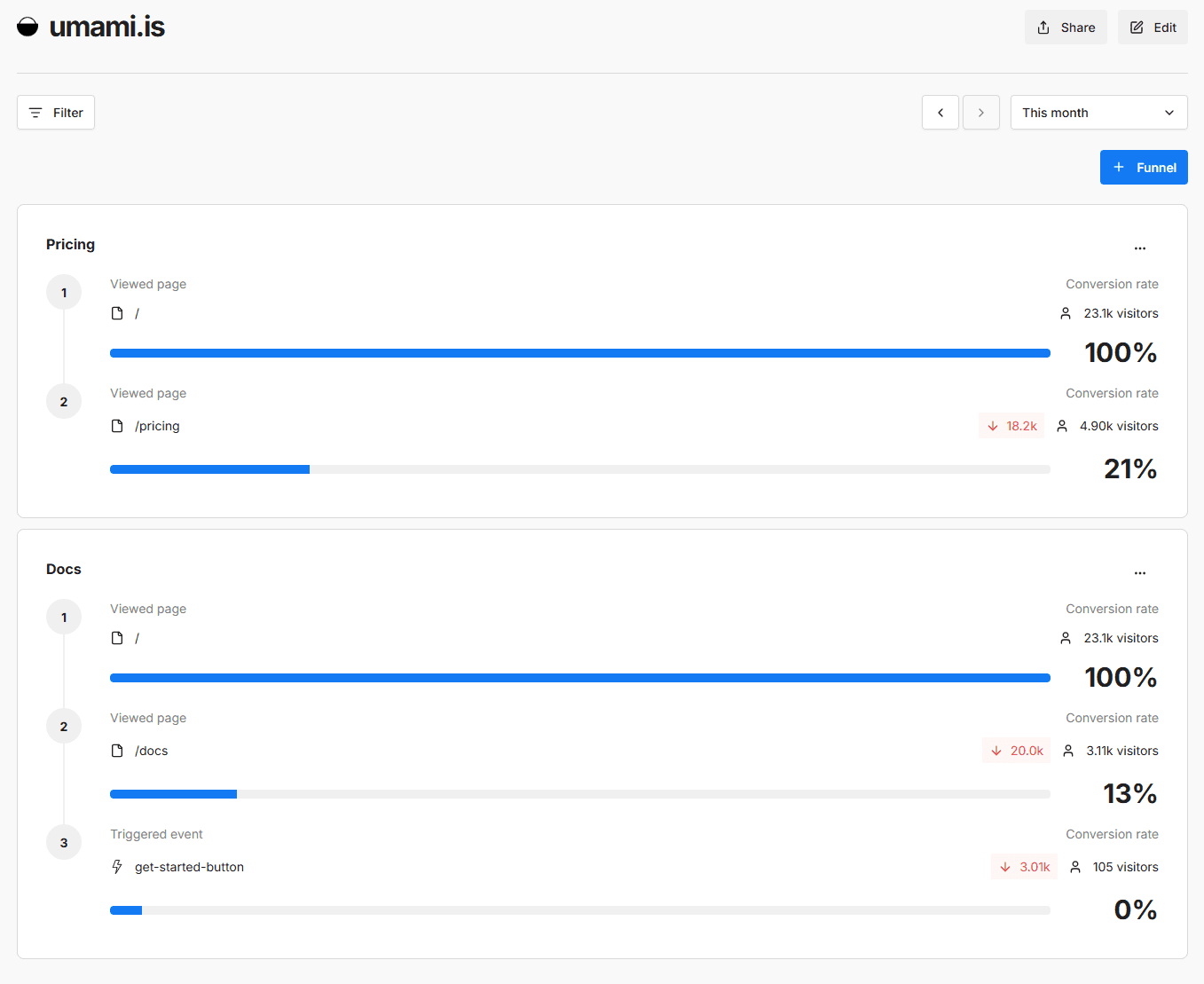
Build a funnel from pages and events and see the drop-off at every step.
Which paths lead to conversion?
Explore the sequences of pages and events that end at the outcome you care about.
Do users come back?
Read a retention table grouped by the day visitors first arrived.
Which actions do users take?
Track signups, clicks, and other actions as custom events with properties.
How does one group behave?
Save segments and cohorts, then apply them as filters across your reports.
What happened in a session?
Inspect a session timeline, watch its replay, or view click and scroll heatmaps.
Track the actions that matter
Record signups, button clicks, form submissions, and any other action as a custom event. Add a data-umami-event attribute to an element, or call umami.track() from your code. Attach properties such as plan or order value, then break events down by those properties.
Explore the paths users take
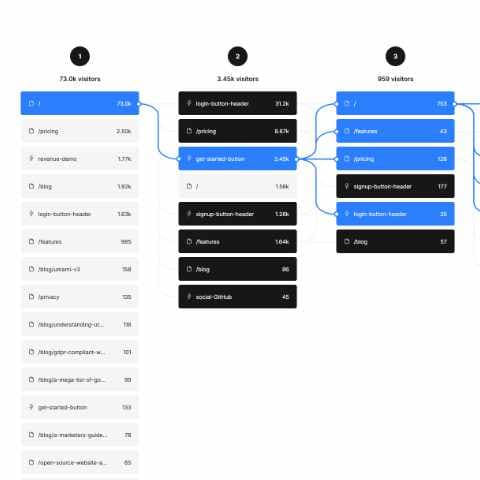
The Journey report shows the most common sequences of pages and events, from three to seven steps long. Set a start step to see where people go next, or an end step to see the routes that led to a conversion.
Measure retention and compare cohorts
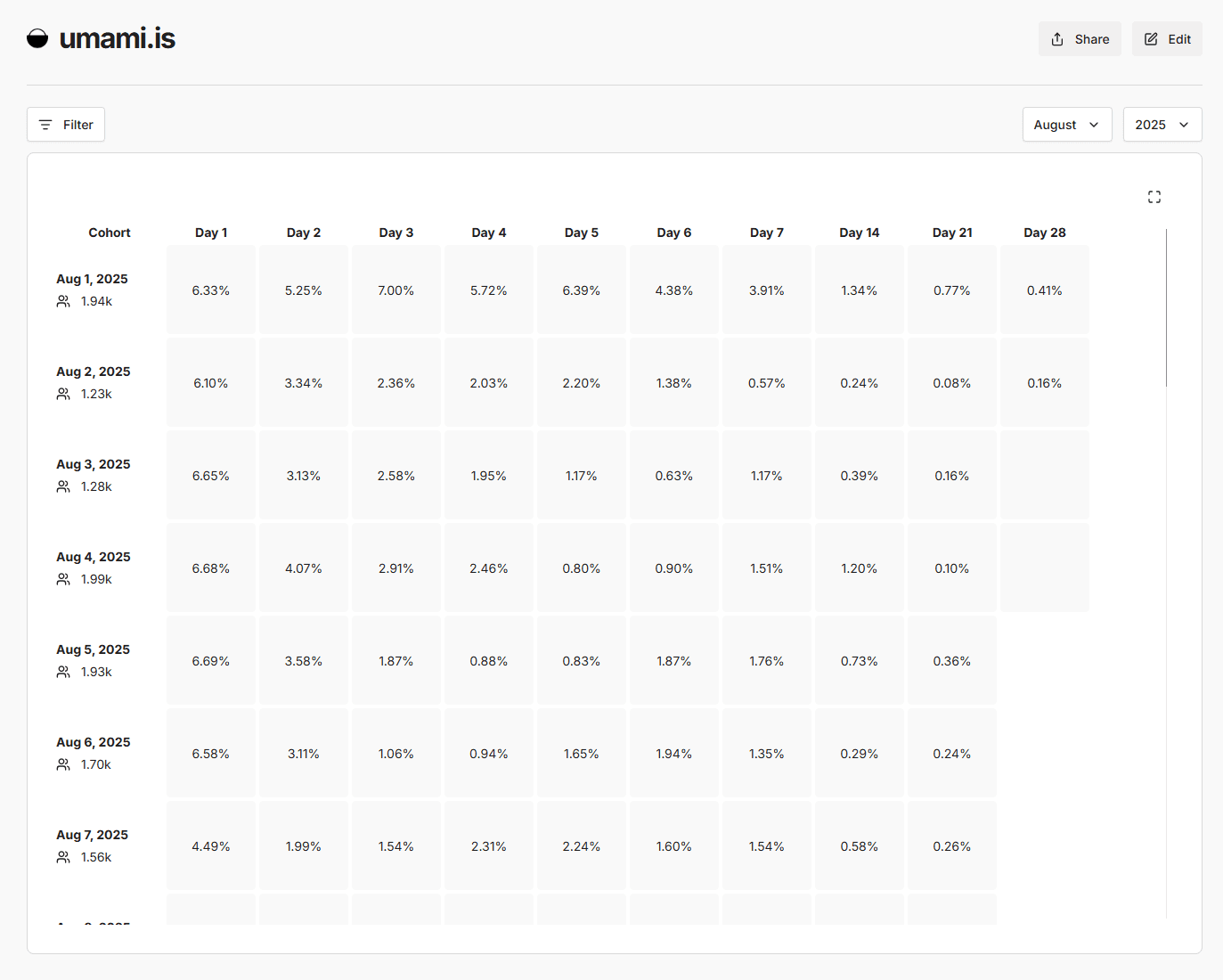
The Retention report groups visitors by the day they first arrived and shows the percentage that returned on later days of the month. Create cohorts of visitors who viewed a page or triggered an event in a date range, save segments of common filters, and apply either to your other reports.
Investigate behavior with replay and heatmaps
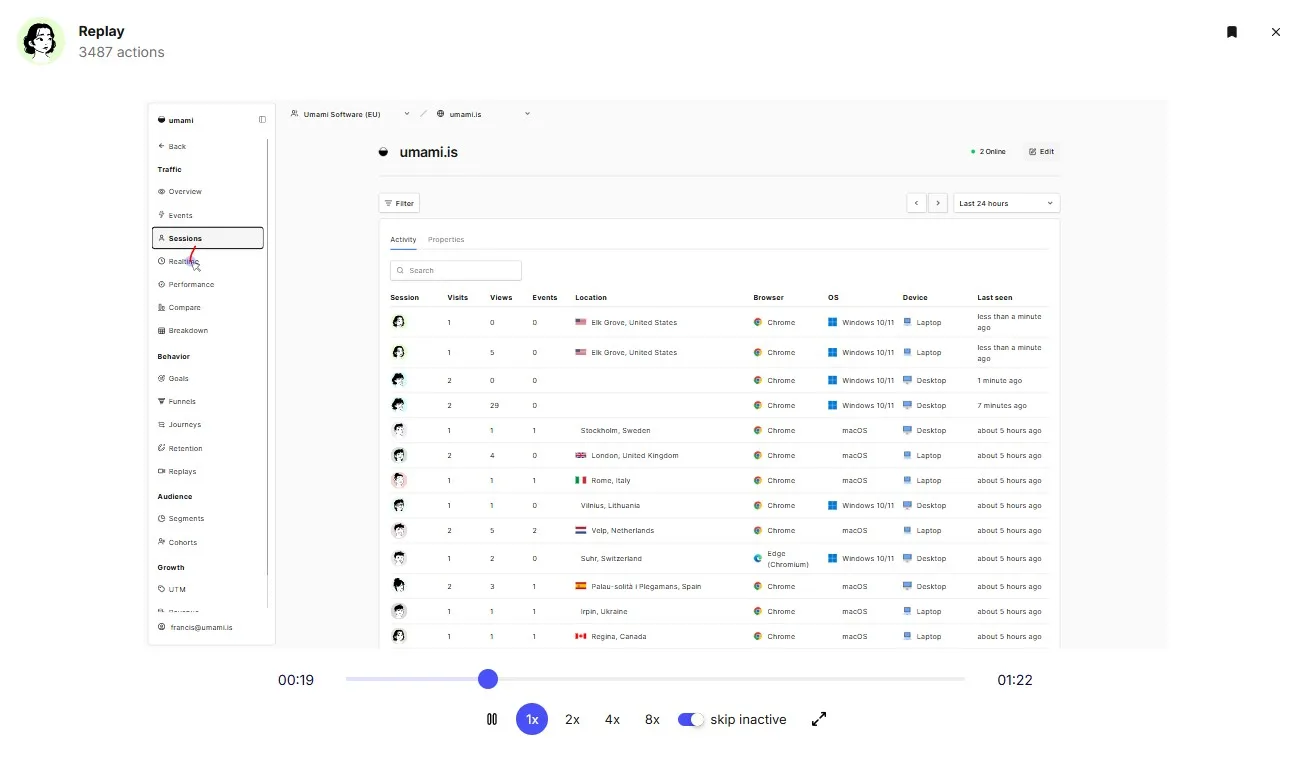
When a report shows where people struggle, open the sessions behind it. Session replay recreates clicks, scrolling, and navigation, with form inputs masked by default. Heatmaps aggregate clicks and scroll depth for a page. Both are turned on per website and use a separate recorder script.
Setup and identity
Page views are collected as soon as the tracker script is installed. Funnels, goals, and journeys can use pages alone, but steps based on actions need the matching custom events to be tracked first.
By default Umami uses no cookies and identifies visitors with an anonymous session identifier, so a person who switches device or browser appears as a new visitor. To connect a logged-in user's sessions, set a distinct ID with umami.identify(). Umami links the sessions that share an ID rather than merging them.
Install the tracker →Distinct IDs →Identify logged-in users →
Availability
What is included on Umami Cloud and in the open-source, self-hosted platform.
| Capability | Umami Cloud | Self-hosted |
|---|---|---|
| Custom events and event properties | All plans | Included |
| Funnels, goals, journeys, and retention | All plans | Included |
| Segments and cohorts | All plans | Included (v3.0 or later) |
| Distinct IDs | All plans | Included (v2.18 or later) |
| Session replay | Business and Enterprise | Included (v3.1 or later) |
| Heatmaps | Business and Enterprise | Included (v3.2 or later) |
| MCP access | Pro, Business, and Enterprise | Included (v3.4 or later, disabled by default) |
See pricing for Cloud plan limits. MCP gives AI assistants read-only access to these reports; see the MCP documentation.