Supporting multiple databases with Prisma ORM
Umami Analytics currently supports both MySQL and PostgreSQL as options to store your data. So how does a small development team ensure feature parity in an application that supports two databases? Enter Prisma ORM.
What is Prisma?
Prisma is an open-source ORM focused on making it easy for Node.js and TypeScript applications to work with databases. Queries can be written as object trees, where the Prisma Query Engine converts the object into SQL queries for the respective database. Those results are returned to the Prisma Client, where the data can be used in node.
How we use it
We first determine which database is being used by looking at the Prisma DATABASE_URL environment variable.
A connection string for MySQL will start with mysql:// and PostgreSQL will start with postgresql://.
All of our migrations are stored in a DB folder. We copy the relevant migrations and schema files into the /prisma folder,
and deploy the migrations all in our build command using the npm-run-all package.

At the end of the day, PostgreSQL and MySQL are relational databases that use the same database design. As a result, we can use Prisma queries to perform most of our CRUD operations.
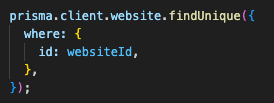
The following Prisma query finds a website by ID and will work with both databases out of the box.
Raw SQL
But there are times when you need to just write your own SQL to get the job done, and that's where a custom solution is required. The following is a custom query for getting Website stats, which calculates the total views, visitors, bounce rate, and average visitor time.
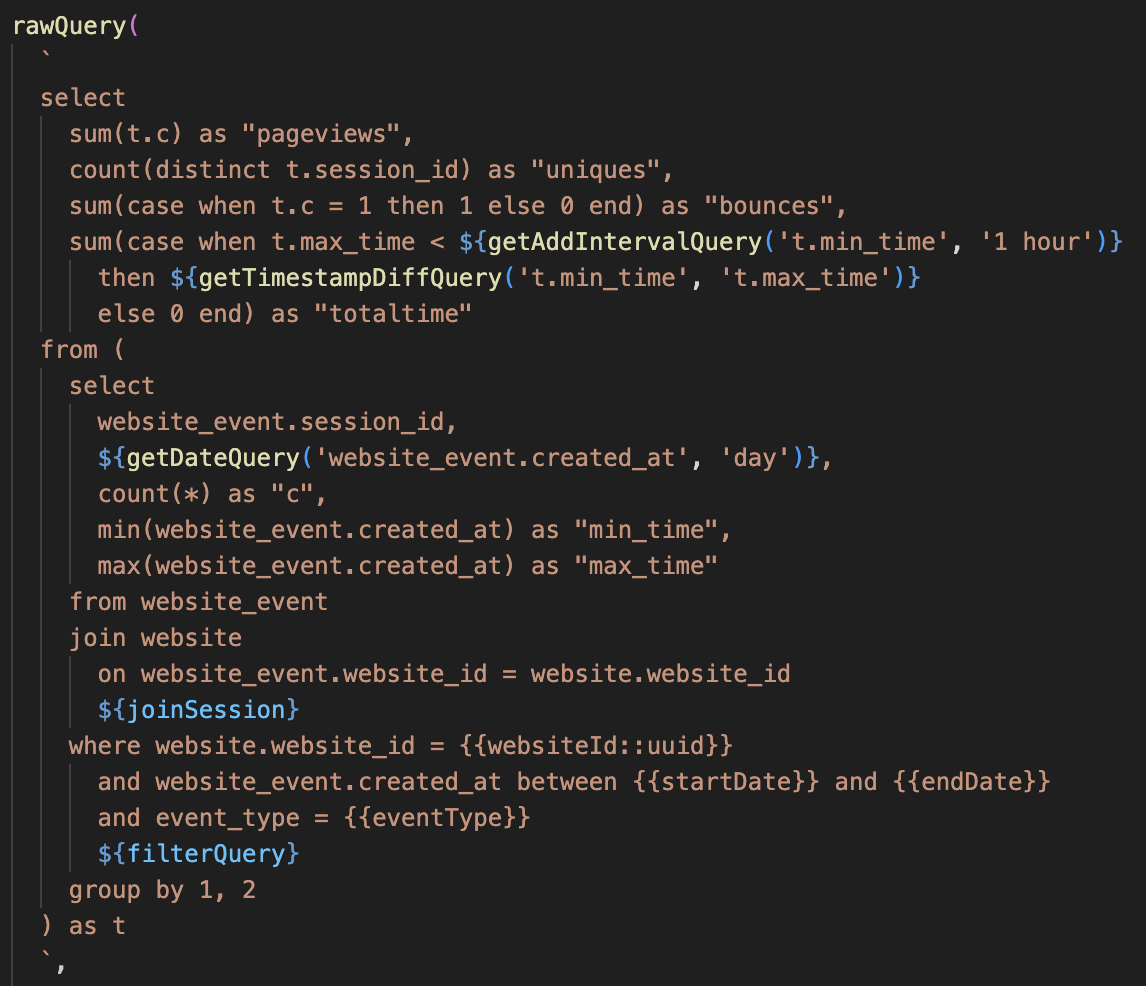
Notice the functions getAddIntervalQuery, getTimestampDiffQuery, and getDateQuery. While the method of querying
the data between databases is very similar, the syntax of how to arrive to those dates differs.
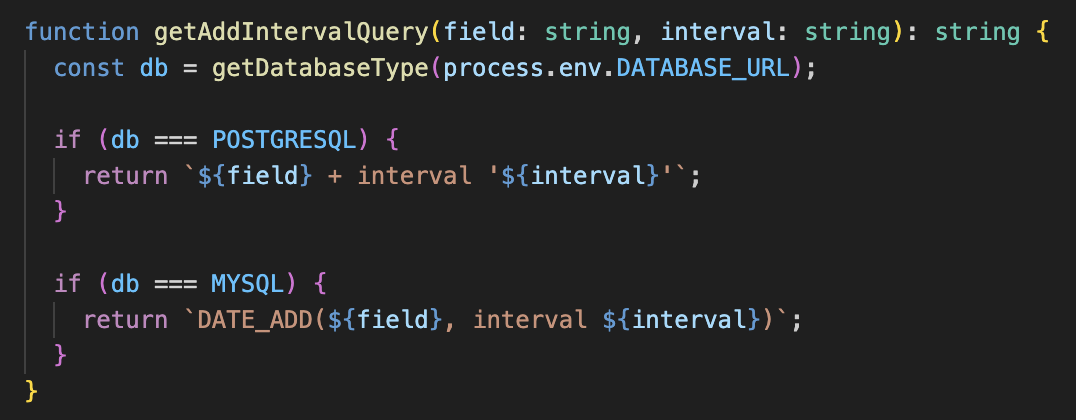
Using the same method to determine which database type is being used, we can can write functions to inject the appropriate SQL before running the query.
Challenges
We rarely had any major issues with Prisma itself. Most of the challenges we faced were around trying to support the unique feature sets of different databases and database versions.
In Umami v1, we released migrations that worked in more later versions of MySQL and PostgreSQL, but not older versions. Once migrations are released to the public, they were impossible to roll back. Getting users to run custom scripts to back out of certain migrations, and re-writing history of current migrations created weeks of support work for us. We've since been very careful in Umami v2 and do not take migrations lightly.
Thoughts
Prisma has been a fantastic tool for us. We continue to use more and more of it's
features like Read Replica and Multiple Database Schema and look forward to the future of Prisma.