What is Coming in Umami v3

Umami has come a long way from being a simple web analytics app to a more robust analytics platform challenging Google Analytics, Mixpanel and Amplitude. We have added many features over the years requested by our users and continue to work with them to define our roadmap.
In this release we are focused on improving the user experience, adding more customization options, and introducing new tools for tracking. We're excited to share what we've been working on!
New design
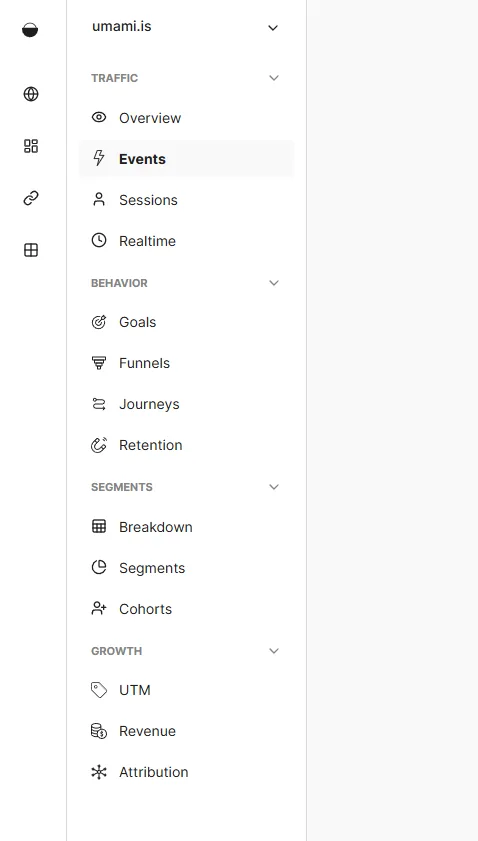
One of the main goals of Umami is to be as simple to use as possible. Users should be able to quickly and easily get to the data they want. In v3, we are introducing a more streamlined design with a new sidebar navigation. We plan to add lots more features in the future and needed a design that would scale and be friendly to navigate.
Also, the sidenav now includes a website selector so you can quickly switch between websites.
Reports reworked
With reports, we originally planned on having the primary functionality on the overview page and any extra functionality would exists in separate reports. However this caused a few problems. First, reports felt hidden away and it took too many extra steps to get to your data. Second, reports functionality was too disjointed and didn't follow a standard pattern. In some reports you could filter by certain criteria, others you couldn't, and it was a frustrating experience.
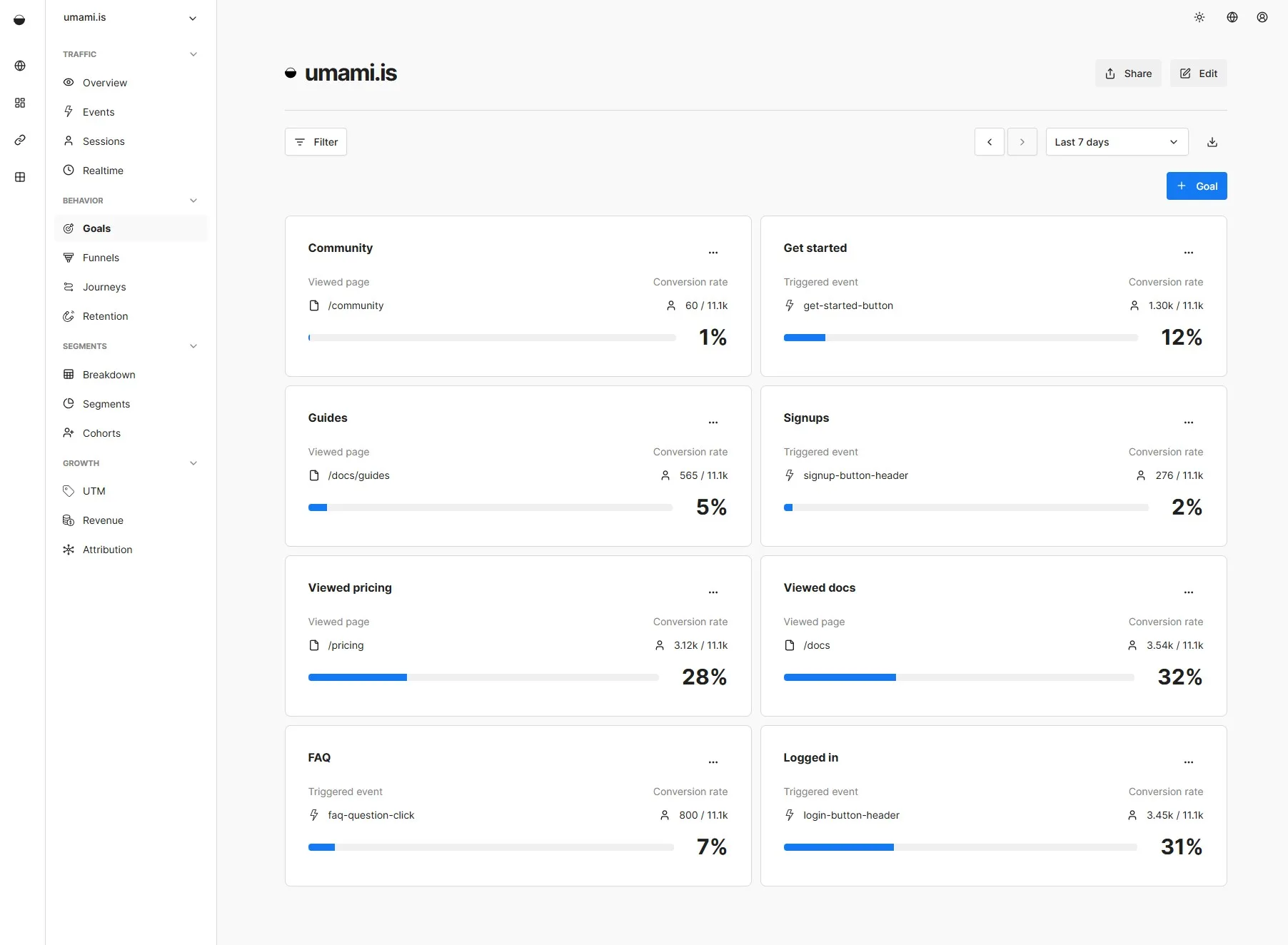
In v3 we are making reports a seamless part of the app. You will be able to click through the different reports as tabs in the application. For example, instead of opening individual goals reports, you can see all your saved goals on one screen. All of your existing reports will be converted to the new system automatically.
Universal filters
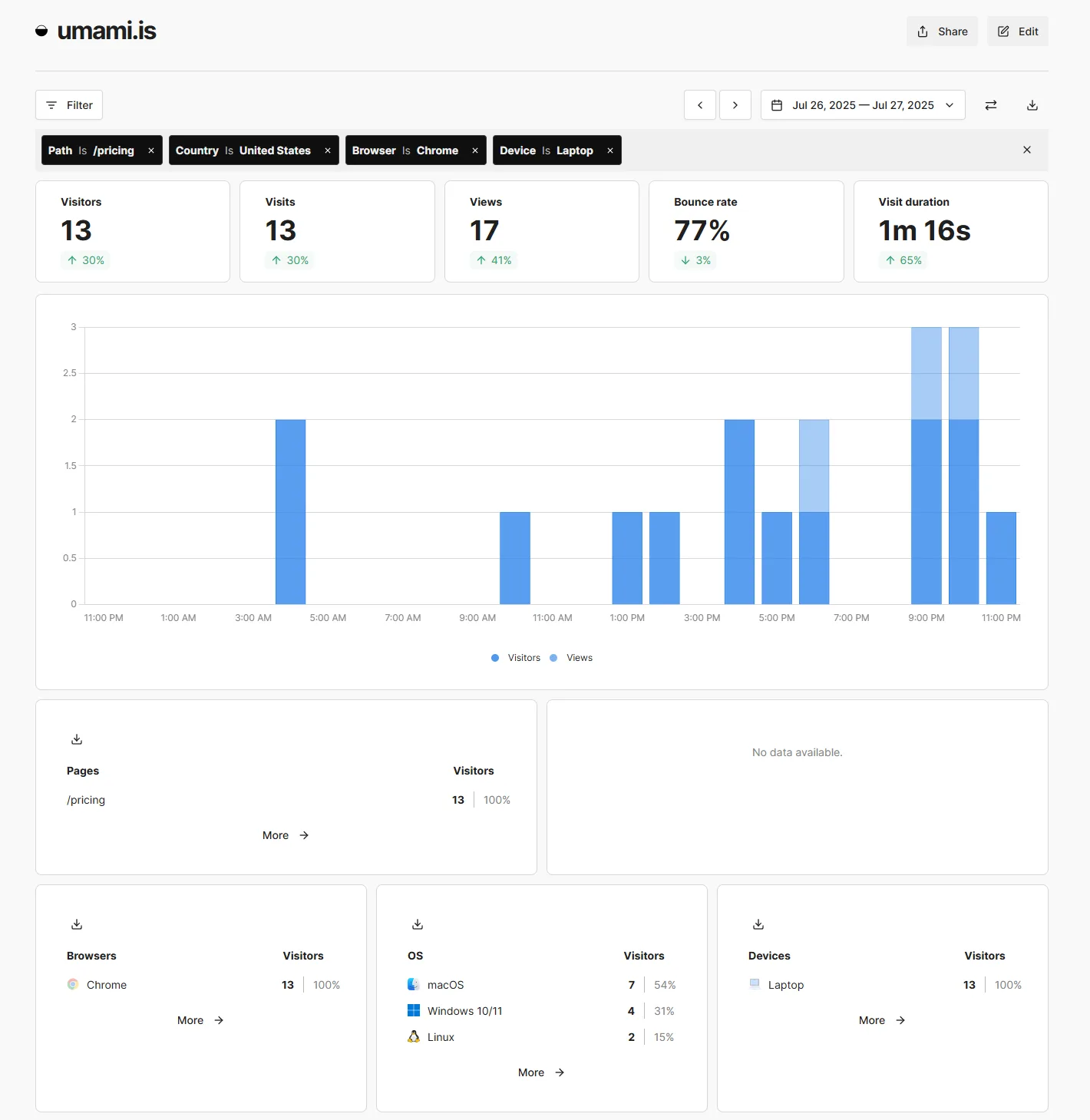
One thing we really wanted to achieve in this release was to provide a consistent experience. So we refactored how filters worked and now they can be applied to any screen in the application.
As you navigate the app, the filters and date range will remain in place, so you can always be in the same context as you explore. Filters are also saved to the query string, so you can bookmark or share the URL with your team.
Segments
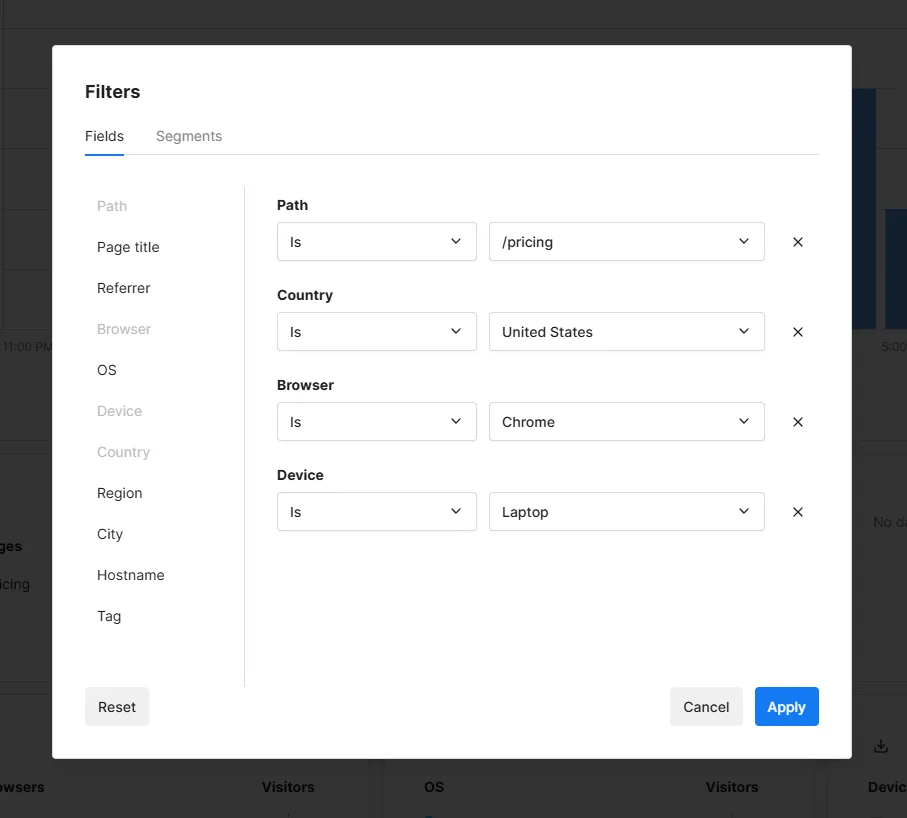
Along with the update to filters, you will have the ability to save a set of filters as a segment. You just give the segment a name and then you can then filter by the saved segment just as you would any other filter.
We're also introducing an improved filter editing experience that will allow you to edit multiple filters at once.
Cohorts
Along with segments, you will be able to create cohorts. In analytics, cohorts are used to group users based on shared characteristics or experiences within a defined time frame, allowing you to track how those users behave over time.
You will be able to create cohorts from the sessions screen by filtering your sessions and saving the group as a cohort. You can then use the cohort as a filter parameter, just like segments.
Boards
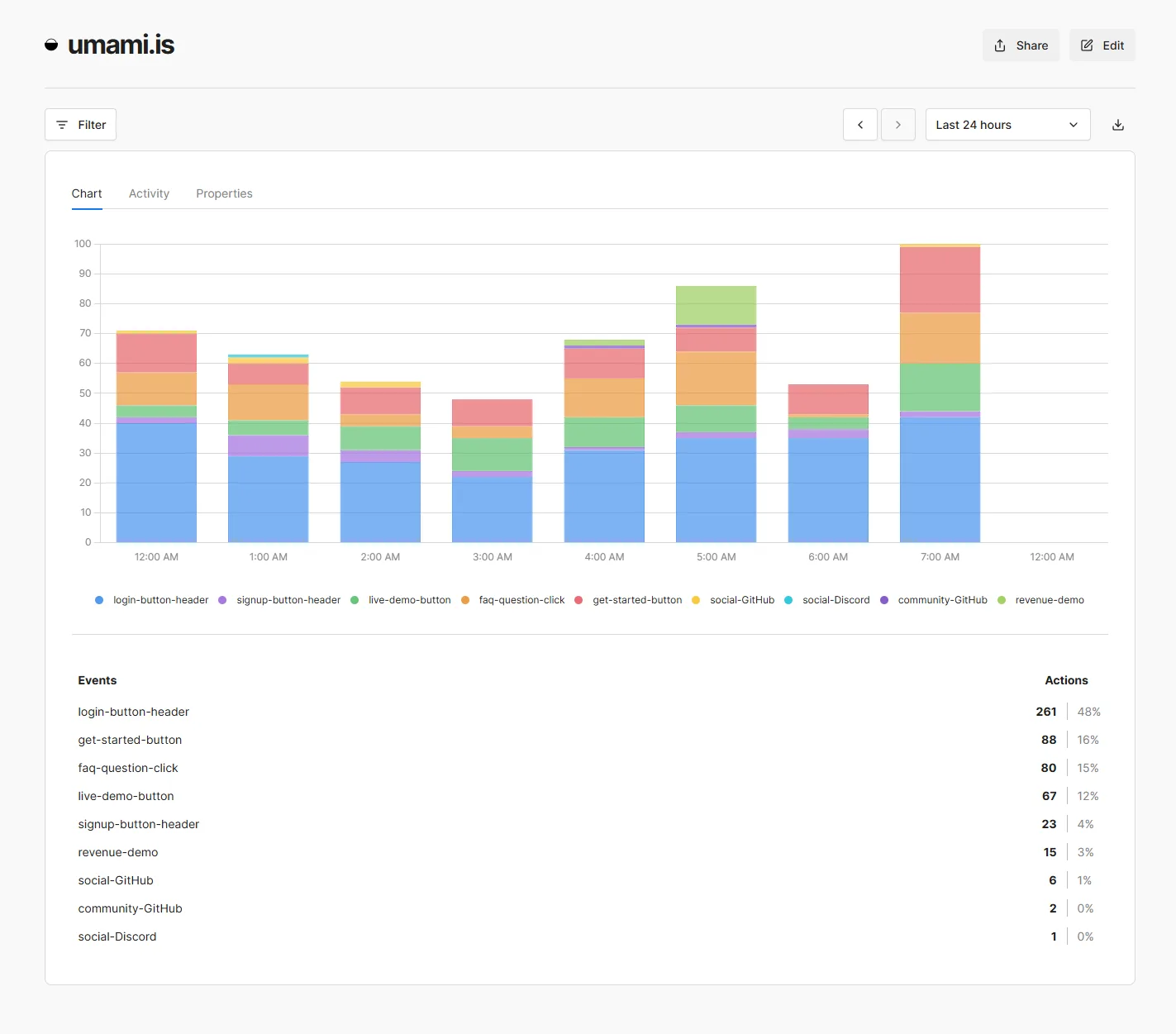
A major new feature we are adding to Umami are custom dashboards. These are customizable views that you create using various visual components like charts, graphs and tables. This allows you to create custom views showing what is important to you and your team.
You'll also be able to share your individual boards via a public URL so you can easily make them available to your team or clients.
Links and pixels
In v3 we are introducing new tools for tracking, links and pixels. Currently all tracking is done through the Umami tracking script that you place on your website. However, you may want to track events that happen outside of your website.
With links, you can create custom short URLs that redirect the user to another location. Anytime the link is clicked, Umami will be able to track the event and provide you with the same detailed data. You can distribute your links across social media, through marketing campaigns, or create product links to track downloads.
Additionally, with pixels you can create a custom transparent pixel that you can include on other sites. When the image is loaded, it will collect data automatically.
Breaking changes
Umami v3 will no longer support MySQL, only PostgreSQL. Supporting multiple databases required too much additional testing and development time and MySQL usage was much lower than PostgreSQL.
What next?
Umami v3 will be rolled out to Umami Cloud first, followed by an open source release for self-hosting.