Bring search, ad spend, and revenue into Umami
Connect the tools you already use to see search performance, advertising results, and payments alongside your website analytics.
See which searches bring people to your site
Connect Google Search Console to see clicks, impressions, click-through rate, and average position for your website. Break results down by query, page, country, and device.
Find the search terms people use to discover you and the pages they land on, then follow those visitors through the rest of your analytics.
Connect Google Search Console →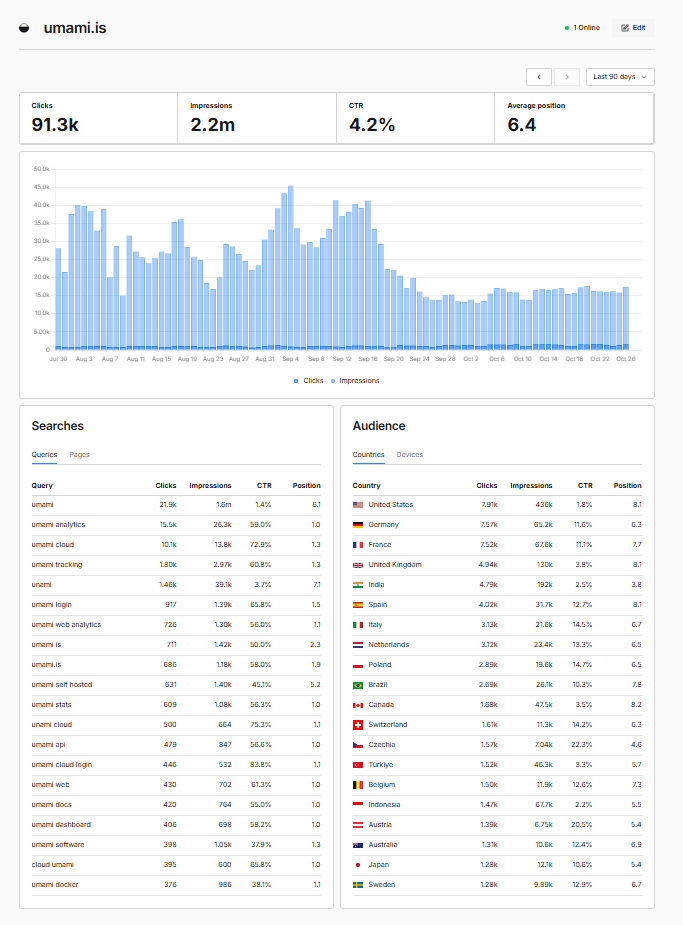
See what your ad campaigns cost and deliver
Connect Google Ads to see cost, clicks, impressions, click-through rate, conversions, and conversion value. Break performance down by campaign, ad group, and keyword, sorted by spend.
Compare what you spend on ads with the traffic and behavior you see in Umami, without switching tools. Manager accounts are supported through their client accounts.
Connect Google Ads →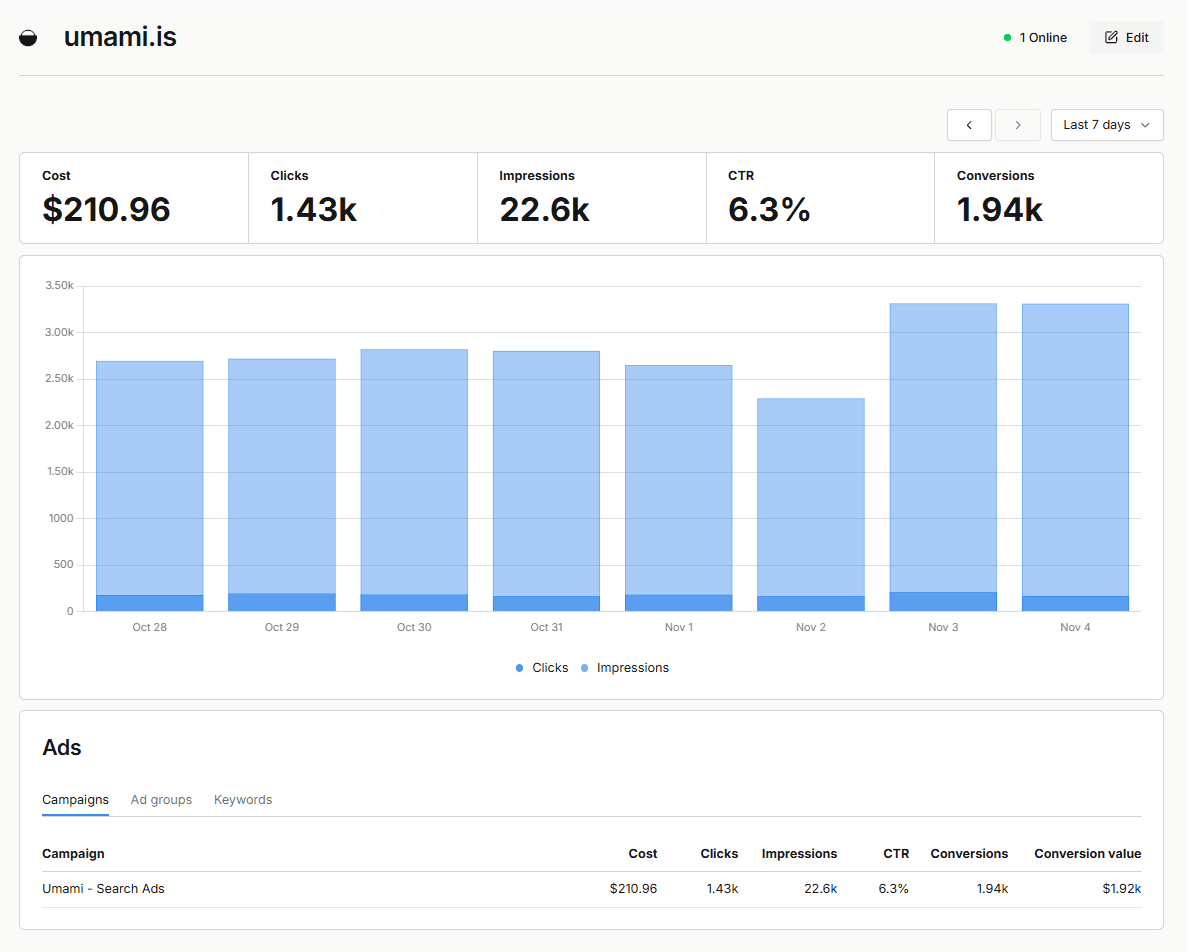
Connect revenue to the visitors who generated it
Import payments and refunds from Stripe, Paddle, Polar, Dodo Payments, WooCommerce, or Lemon Squeezy. New transactions sync every hour and appear in your revenue reports, with refunds included.
Identify visitors with umami.identify() and pass the same ID to your payment provider. Umami links each payment to the visitor’s journey, so you can see which campaigns, referrers, and pages led to real revenue.
 Stripe
 Paddle
- Polar
 Dodo Payments
 WooCommerce
 Lemon Squeezy
Connected in a few minutes
- 1
Add an integration
In Umami Cloud, go to Settings → Integrations and click Add integration.
- 2
Connect your account
Choose a website, then sign in with Google or enter read-only credentials for your payment provider.
- 3
View your data
Open the website to find search, ad, and revenue data next to the rest of your analytics.
Your data, your control
Read-only access
Umami only reads your data. It never changes campaigns, creates charges, or issues refunds.
Minimal storage
Search and ad data is read from Google when you view it and is not stored in Umami. Payment credentials are encrypted.
Disconnect any time
Remove an integration from Settings → Integrations, and revoke access with Google or your provider.
Frequently asked questions
Which plans include integrations?
Integrations are available on Umami Cloud Pro, Business, and Enterprise plans. If you downgrade, your existing integrations remain listed so you can disconnect them, but you cannot add or edit integrations.
Are integrations available when self-hosting?
Integrations are currently available on Umami Cloud only.
Does Umami store my Search Console or Google Ads data?
No. Umami reads search and ad data from Google when you open the report. Ad data is cached for a few minutes. Nothing is stored in Umami.
Why do Google Ads conversions differ from my Umami goals?
The Ads report shows the conversions tracked in Google Ads, not Umami events or goals. Google Ads data is also reported in whole days in your Google Ads account time zone, and recent days may not be available yet.
Can I connect the same account to more than one website?
Yes. Each integration is connected to a single website, which cannot be changed later. Add a separate integration for each website that uses the same account.
How do I link payments to visitors?
Identify visitors with umami.identify() and pass the same ID to your payment provider in the umami_distinct_id metadata field. Umami links each payment to that visitor’s most recent visit in the previous 90 days. Lemon Squeezy payments are imported without this link because Lemon Squeezy does not share checkout custom data through its API.
See pricing for plan details.