A/B Testing Analytics: How to Measure Experiments on Your Website
How to design an A/B test you can trust — choosing a success metric, splitting traffic, collecting the data, and reading results without fooling yourself.
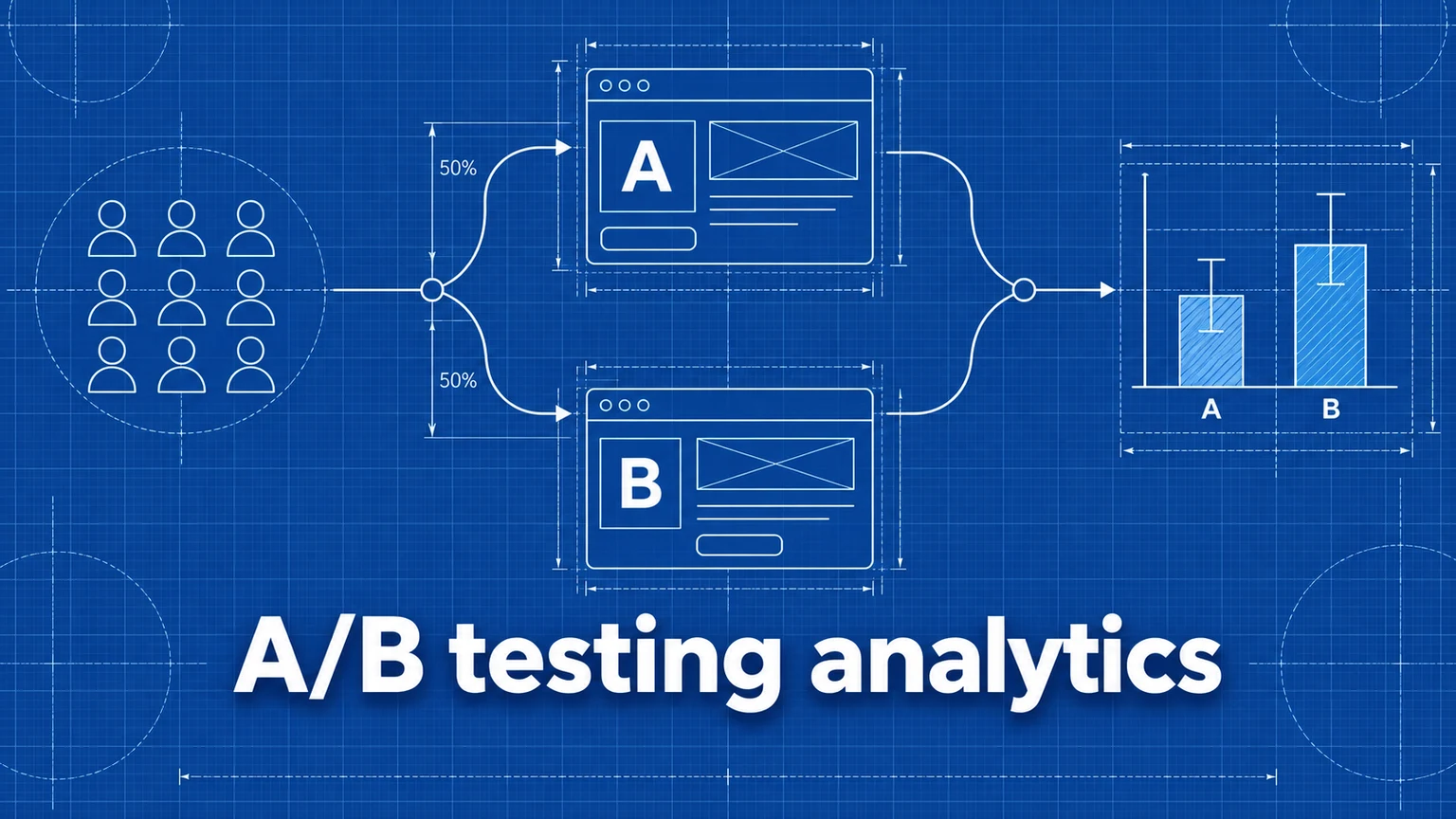
An A/B test shows two versions of a page to comparable audiences and measures which performs better. The concept is simple; the value depends entirely on the measurement discipline around it. A test with a vague success metric, an uneven split, or an early stop produces a confident-sounding number that means nothing.
This guide covers the analytics side of experimentation: what to measure, how to collect variant-labeled data, and how to interpret results.
Before the test: define success
Every test needs, written down in advance:
- A hypothesis — "shortening the pricing form will increase signups" — not just "let's try a new design." The hypothesis dictates the metric.
- One primary metric — the conversion the test exists to move:
signup,purchase-complete,form-submit. Define it as a tracked event or goal before launch (see conversion tracking). - Guardrail metrics — one or two secondary checks (bounce rate, revenue per visitor) to catch a variant that wins the primary metric while damaging something else.
- A stopping rule — the sample size or duration you'll run to, decided up front. Peeking at results daily and stopping "when it's significant" is the most common way tests reach false conclusions.
How measurement works: label every visit with its variant
The core analytics requirement is that every page view and event carries the variant that produced it. In Umami this is done with the data-tag attribute on the tracker script:
<!-- Variant A -->
<script
  defer
  src="https://your-umami.example.com/script.js"
  data-website-id="your-website-id"
  data-tag="pricing-short-form"
></script>

<!-- Variant B -->
<script
  defer
  src="https://your-umami.example.com/script.js"
  data-website-id="your-website-id"
  data-tag="pricing-long-form"
></script>
Everything collected under a tag is grouped with it, so metrics can be compared per variant with filters and breakdowns. Use descriptive tag names — pricing-short-form vs. pricing-long-form beats v1 vs. v2 when you're reading reports months later.
Splitting the traffic
How visitors are assigned to variants is your application's job; the analytics only records the label. Common approaches:
- Server-side or edge routing — serve different templates from your backend or middleware. Cleanest, no client-side flicker.
- Feature flags — a flag service assigns the variant and the page sets
data-tagaccordingly. - Client-side JavaScript — assign randomly, persist in a cookie so the visitor sees the same variant on every visit, and inject the tracker with the right tag.
Whichever you choose, assignment must be random and sticky (a returning visitor sees the same variant). If mobile users disproportionately land in one variant, the test compares audiences, not designs. The exact snippets for each approach are in the implementation docs.
Reading the results
Once both variants have data, compare them in Umami:
- Breakdown by Tag — visitors, views, bounce rate, and visit duration side by side per variant.
- Filter by Tag + Goal — apply a tag filter and read the conversion rate for your primary metric, then repeat for the other tag.
The number you want per variant is: conversions ÷ visitors assigned to that variant.
Is the difference real?
Two variants will never show identical numbers — randomness guarantees a difference. The question is whether the gap exceeds what chance alone produces:
- Small samples lie. At 150 visitors per variant, an 8%-vs-11% split is a coin flip, not a result. Volume requirements grow rapidly as baseline conversion rates shrink and effect sizes narrow.
- Run whole weeks. Day-of-week audience shifts are larger than most effects you're testing.
- Use a significance calculator. Feed each variant's visitors and conversions into any standard A/B significance calculator rather than eyeballing percentages. If it isn't significant, the honest result is "no detectable difference" — which is still a result.
- Beware many metrics. If you check ten metrics, one will look "significantly" different by chance. That's why the primary metric is chosen in advance.
Worked example: a SaaS pricing-page test
A SaaS team believes their long signup form deters trials. They build a short-form variant and test it:
- Hypothesis: reducing form fields from 9 to 4 increases trial signups.
- Primary metric: the
signupevent; guardrail: percentage of trials that activate (short forms can attract lower-intent signups). - Setup: edge middleware splits traffic 50/50 with a sticky cookie; each variant sets
data-tagtosignup-longorsignup-short. A Goal forsignupalready exists. - Stopping rule: three full weeks or 4,000 visitors per variant, whichever is later.
After three weeks: signup-long — 4,310 visitors, 172 signups (4.0%); signup-short — 4,286 visitors, 219 signups (5.1%). A significance calculator confirms the difference is unlikely to be chance. The guardrail check shows activation rate is level between cohorts, so the extra signups aren't junk. The team ships the short form — and keeps the tag in place for a week to watch the metric hold in production.
Note what made the result trustworthy: metric fixed in advance, sticky random split, predeclared stopping rule, guardrail verified.
Common mistakes
- Stopping when the result looks good. Checking daily and declaring victory the first day the gap is large. Consequence: a systematic bias toward false positives — many "winners" that evaporate after shipping. Remedy: set duration/sample-size in advance and only judge at the end.
- Testing with insufficient traffic. Running a test that could only ever detect an implausibly huge effect. Consequence: weeks of waiting for an answer the setup could never deliver. Remedy: estimate required sample size first; if you can't reach it, test bolder changes or a higher-volume micro-conversion.
- Non-sticky or non-random assignment. Visitors flip between variants across visits, or one variant quietly receives different traffic. Consequence: the comparison measures audience mix, and conversions get credited to the wrong variant. Remedy: persist assignment in a cookie and verify the split is close to 50/50 with similar device/source mix per tag.
- Changing both variants mid-test. "Small fixes" to a live variant reset the meaning of every number already collected. Consequence: an uninterpretable blend of two experiments. Remedy: freeze variants for the duration; if a fix is essential, restart the test.
Frequently asked questions
How long should an A/B test run?
At minimum, full weeks — weekday and weekend visitors behave differently, so a Tuesday-to-Thursday test samples a biased audience. Beyond that, run until each variant has enough conversions for the difference to be meaningful, and decide the duration before you start rather than stopping when the result looks good.
How many visitors do I need for an A/B test?
It depends on your baseline conversion rate and the size of change you want to detect — smaller effects need far more traffic. As a floor, a few hundred visitors per variant is a reasonable minimum for large effects; detecting small differences on low-converting pages can require tens of thousands. If your traffic can't support that, test bigger changes or use a higher-volume metric.
Can I run an A/B test without a dedicated testing tool?
Yes. You need three things — a way to serve two variants, a way to label each visitor's analytics data with the variant they saw, and a conversion metric. Umami's data-tag attribute handles the labeling, and your application or edge layer handles the split.
Umami is an open-source web and product analytics platform. Set up tracking in minutes and measure traffic, events, funnels, and retention without cookies.
Related documentation
Related guides

How to Build and Analyze a Conversion Funnel
How to design funnel steps, set time windows, interpret drop-off rates, and turn funnel data into changes worth testing.

A Practical Guide to Website Conversion Tracking
How to define conversions, choose between page-based and event-based tracking, name events well, and calculate conversion rates you can trust.
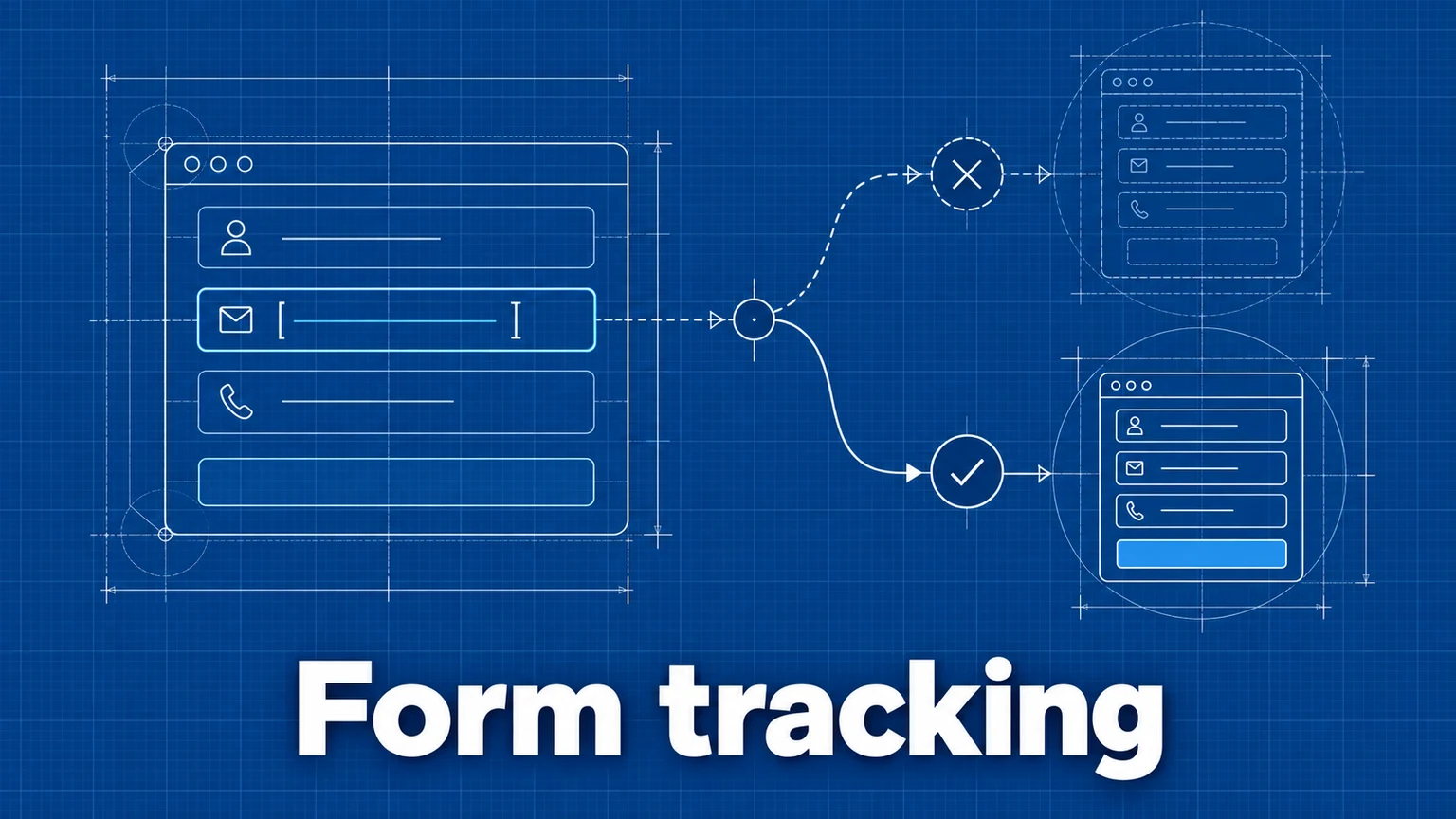
Form Tracking: How to Measure Form Submissions and Drop-Off
How to measure form starts, submissions, and abandonment — including multi-step flows — and how to use that data to fix the forms that lose you leads.