How to Build and Analyze a Conversion Funnel
How to design funnel steps, set time windows, interpret drop-off rates, and turn funnel data into changes worth testing.
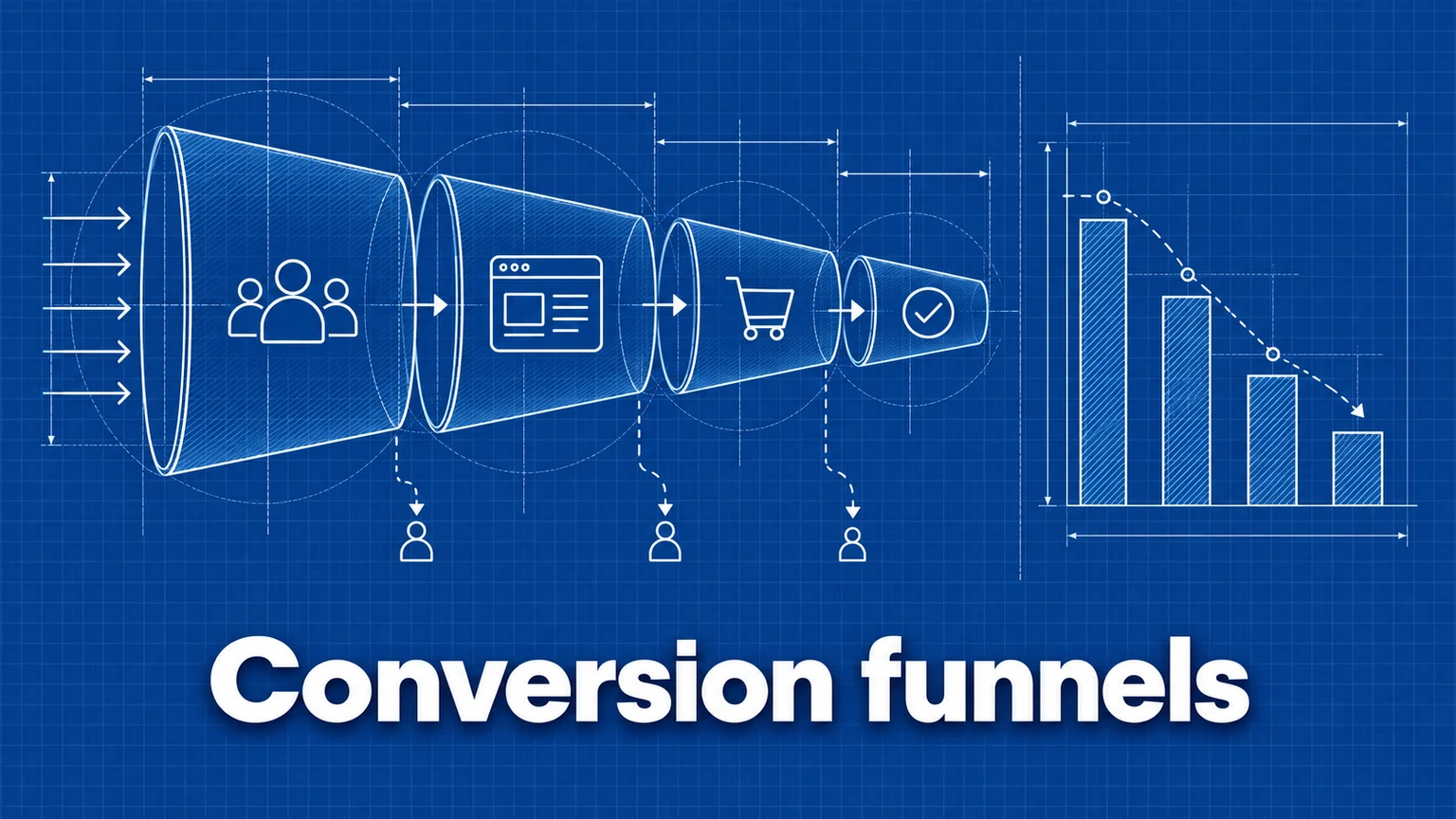
A conversion funnel maps the step-by-step path users take toward a goal — and shows exactly where they leave. Overall conversion rate tells you that most visitors don't convert; a funnel tells you where you lose them, which is the information you can actually act on.
This guide covers designing funnel steps, building the funnel, reading drop-off correctly, and deciding what to change.
Funnel design: eligibility and ordering
A funnel is a sequence of steps you expect users to complete in order. Two design decisions matter before any tool is involved:
Which journey, from where? Every funnel has an implicit population: users who complete step 1. Starting at the homepage measures the whole site's persuasion power; starting at the cart measures checkout mechanics. Both are valid — but they answer different questions, and their rates aren't comparable. Choose the entry point that matches the decision you want to inform.
Are the steps truly sequential? Each step should be a plausible prerequisite of the next. If users routinely skip a step (jumping from the homepage straight to signup, bypassing pricing), a funnel that includes the skipped step will undercount real conversions. Note that most funnel reports — Umami's included — are closed in this sense: only users who hit every listed step in order are counted through. Keep steps to the milestones nearly everyone must pass: 2–7 steps is the practical range.
Name event steps clearly. Funnel steps built on events inherit your event names. add-to-cart and checkout-complete make a funnel readable; event7 does not. See conversion tracking for naming conventions.
Example funnels
Ecommerce purchase flow:
| Step | Type | Value |
|---|---|---|
| 1 | Viewed page | /products |
| 2 | Triggered event | add-to-cart |
| 3 | Viewed page | /checkout |
| 4 | Triggered event | purchase-complete |
SaaS signup flow:
| Step | Type | Value |
|---|---|---|
| 1 | Viewed page | / |
| 2 | Viewed page | /pricing |
| 3 | Triggered event | signup |
| 4 | Triggered event | onboarding-complete |
Content engagement:
| Step | Type | Value |
|---|---|---|
| 1 | Viewed page | /blog* |
| 2 | Viewed page | /docs* |
| 3 | Triggered event | signup |
URL wildcards (such as /blog*) match any page starting with that path, which lets a step represent a whole section rather than one URL.
Instrumenting the steps
Page-view steps are tracked automatically. Event steps need instrumentation on your site:
<button data-umami-event="add-to-cart">Add to Cart</button>
umami.track('purchase-complete', { revenue: 79.99, currency: 'USD' });
Verify each event fires (once) before trusting the funnel built on it.
Building the funnel in Umami
- Open your website and go to the Funnel insight.
- Click Add Funnel and give it a descriptive name.
- Add each step, choosing Viewed page or Triggered event and entering the URL or event name.
- Set the Window — the maximum minutes allowed between consecutive steps. Users who take longer between any two steps aren't counted as progressing.
- Short windows (15–30 minutes) suit single-session flows like checkout.
- Long windows (1440 minutes = 24 hours) suit consideration journeys where users return later.
- Save and run the insight.
Interface details are in the Funnel documentation.
Reading the results
The funnel reports three things:
- User count at each step — how many reached that point.
- Drop-off rate between steps — the percentage who didn't continue.
- Overall conversion rate — completions of the final step ÷ entrants at step 1.
What to look for:
- The biggest drop-off is the biggest opportunity. If 60% of users abandon at the checkout step, that page is worth more attention than any other.
- Suspicious extremes signal design problems, not user behavior. A step with ~0% drop-off is probably redundant (everyone who reaches it continues automatically). A step with ~99% drop-off often means misconfigured tracking or a step users genuinely skip.
- Window sensitivity is diagnostic. If lengthening the window meaningfully raises conversion, users complete the journey across sessions — your "leak" is partly just time.
Segment before concluding
An aggregate funnel averages over audiences that may behave very differently. Before acting, re-run the funnel with filters: mobile vs. desktop, campaign traffic vs. organic, one country vs. another. A checkout that converts fine on desktop and terribly on mobile is a mobile bug, not a pricing problem — and the aggregate view hides that.
Respect sample sizes
Drop-off percentages computed on small counts are unstable. If only 40 users reached step 3 this week, the difference between 20% and 30% drop-off is a handful of people. Widen the date range until each step you're judging has at least a few hundred users, and treat week-to-week wiggles on thin steps as noise.
Worked example: interpreting an ecommerce funnel
A store runs the four-step purchase funnel above over 30 days:
| Step | Users | Drop-off |
|---|---|---|
/products | 12,400 | — |
add-to-cart | 1,860 | 85% |
/checkout | 1,220 | 34% |
purchase-complete | 610 | 50% |
Interpretation: the 85% product-to-cart drop looks alarming but is the least informative number — most product-page visitors are browsing, and that step mixes all intent levels. The two purchase-intent steps are more telling: a third of carts never reach checkout, and half of the users who started checkout didn't finish. Users at the final step have maximal intent; losing 50% of them points at mechanics — shipping-cost surprise, forced account creation, payment failures, or a mobile-specific breakage (segment by device to check).
The output of the analysis is a hypothesis list for the checkout step, not a redesign of the product page.
Acting on a drop-off
A funnel locates problems; it doesn't fix them. After finding the leak:
- Form specific hypotheses about why that step loses users (watch session recordings, read the page on a phone, complete the flow yourself).
- Change one thing, then measure: compare the funnel before and after with the Compare insight, or run the change as an A/B test if traffic allows.
- Keep parallel funnels for alternative paths — for example, entrants via
/pricingversus via/blog— to learn which entry routes convert best.
Common mistakes
- Starting the funnel too early. A funnel from the homepage to purchase buries checkout problems under browsing behavior; the giant top-of-funnel drop dominates every chart. Consequence: teams optimize awareness pages while the checkout leaks high-intent buyers. Remedy: build separate funnels for persuasion (early steps) and mechanics (late steps).
- Reading closed-funnel numbers as total conversions. The funnel counts only the exact path within the window; real users wander. Consequence: "conversion collapsed" alarms when users merely took a different route. Remedy: sanity-check the final step against a Goal report count.
- Optimizing against unsegmented averages. Aggregate drop-off hides device-, source-, and geography-specific failures. Consequence: fixes target a problem no single user actually has. Remedy: segment by device and source before diagnosing.
- Acting on thin data. Redesigning a step because drop-off "rose" from 24% to 31% on sixty users. Consequence: churn of changes with no signal behind them. Remedy: widen the date range first; set a minimum count before a number is allowed to trigger work.
Frequently asked questions
How many steps should a funnel have?
Between two and seven sequential steps works well in practice. Fewer than two isn't a funnel; more than seven usually mixes several journeys together and produces tiny counts at the bottom that are hard to interpret.
What is a good funnel conversion rate?
There is no universal benchmark — rates depend on the action, traffic quality, and how early the funnel starts. A funnel starting at the homepage will always convert far lower than one starting at the checkout page. Compare your funnel against its own history, not against published numbers.
Why does my funnel show fewer conversions than my goal report?
A funnel only counts users who complete every step in order within the time window. Users who convert by another path, or take longer than the window allows, count toward the goal but not the funnel. A gap between the two is normal and is itself informative — it tells you how many conversions happen outside your assumed path.
Umami is an open-source web and product analytics platform. Set up tracking in minutes and measure traffic, events, funnels, and retention without cookies.
Related documentation
Related guides
A Practical Guide to Website Conversion Tracking
How to define conversions, choose between page-based and event-based tracking, name events well, and calculate conversion rates you can trust.
A/B Testing Analytics: How to Measure Experiments on Your Website
How to design an A/B test you can trust — choosing a success metric, splitting traffic, collecting the data, and reading results without fooling yourself.
Form Tracking: How to Measure Form Submissions and Drop-Off
How to measure form starts, submissions, and abandonment — including multi-step flows — and how to use that data to fix the forms that lose you leads.
How to Analyze User Journeys on Your Website
Use page and event paths to find common routes, detours, exits, and unexpected paths to conversion, then turn those patterns into testable improvements.