Form Tracking: How to Measure Form Submissions and Drop-Off
How to measure form starts, submissions, and abandonment — including multi-step flows — and how to use that data to fix the forms that lose you leads.
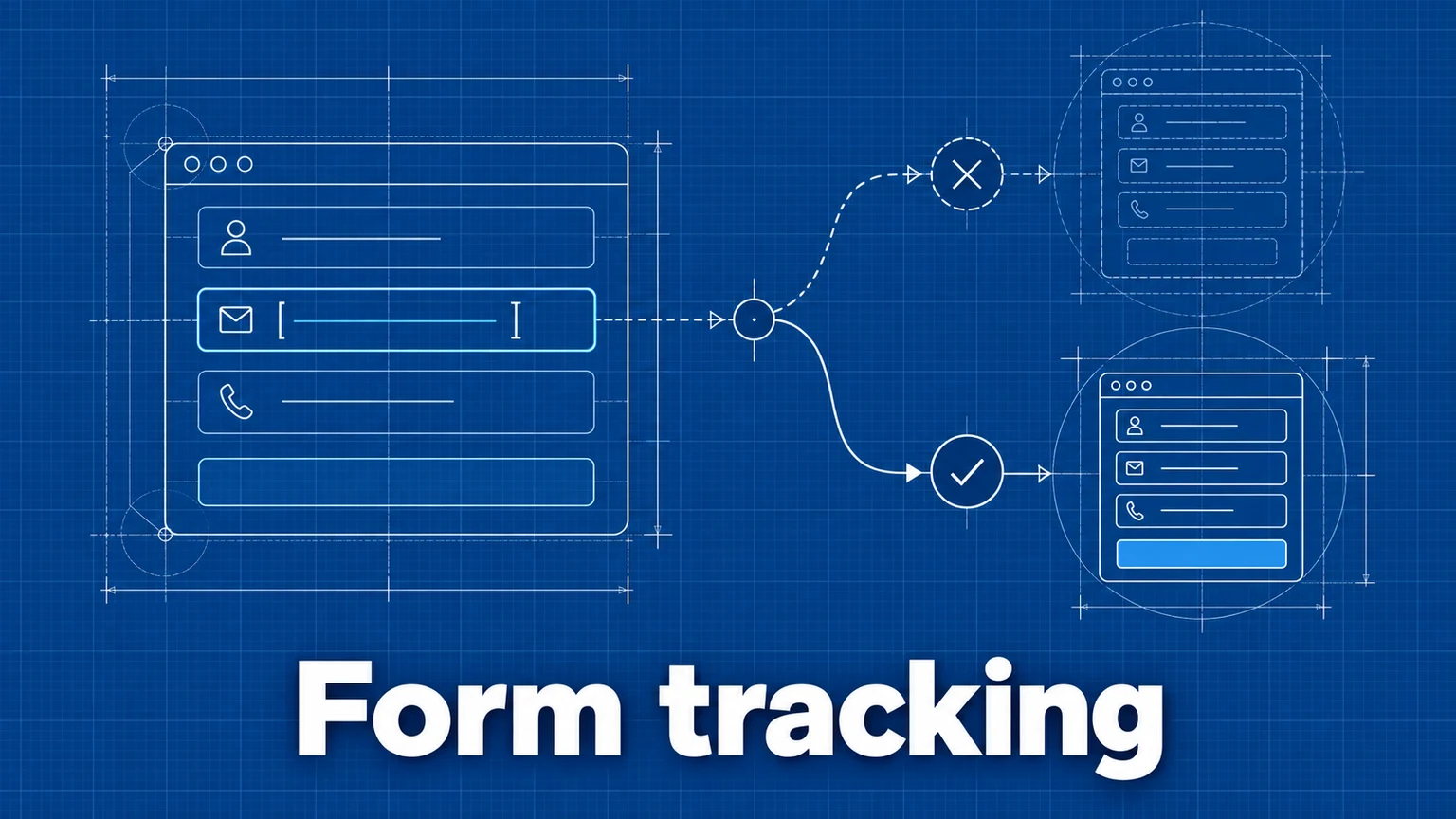
Forms are where visitors become leads, subscribers, and customers — and where a large share of them silently give up. Page views can't tell you the difference between a form nobody starts and a form everyone abandons at the third field. Form tracking can.
This guide covers which form events to collect, how to instrument single- and multi-step forms, and how to turn the data into fixes.
The metrics that matter
A useful form-measurement setup distinguishes four things:
- Form views — visitors who saw the page with the form (page views; free).
- Form starts — visitors who interacted with a field. The view→start gap measures whether the form invites engagement at all.
- Submissions — the submit action. The start→submit gap is abandonment: people who tried and gave up. This is your highest-leverage number, because these visitors already demonstrated intent.
- Completions — submissions that succeeded. On forms with strict validation, the submit→completion gap reveals how often your own error handling defeats willing users.
Two rates summarize health: conversion rate (submissions ÷ form views) and abandonment rate (1 − submissions ÷ starts). Report them separately — a low conversion rate with low abandonment means a traffic/intent problem; the same conversion rate with high abandonment means the form itself is broken.
Event design
As with all conversion tracking, use stable event names with properties for the variable parts — one form-submit event for the whole site, with a form property naming the form:
<button
  type="submit"
  data-umami-event="form-submit"
  data-umami-event-form="newsletter"
>
  Subscribe
</button>
For JavaScript-driven forms (AJAX, React, framework handlers), call the tracker in the submit handler:
umami.track('form-submit', { form: 'contact', source: 'homepage' });
The data-attribute approach fires on the click; the JavaScript approach lets you fire on success instead — after validation passes or the API responds — which is the more truthful conversion signal. Framework-specific examples (including React) are in the implementation docs.
Never put field contents in event properties. Names, emails, and message text are personal data; your analytics needs to know that the contact form was submitted, not what it said. Track form identity and step, not user input.
Multi-step forms: track each step
Checkout flows, onboarding wizards, and quote builders lose users step by step, so instrument them step by step:
// Step 1: user enters email
umami.track('checkout-step', { step: 'email' });

// Step 2: user enters payment info
umami.track('checkout-step', { step: 'payment' });

// Step 3: user completes purchase
umami.track('checkout-step', { step: 'complete' });
With each step recorded, build a funnel from the step events to see the drop-off between every stage — the difference between knowing "checkout converts at 40%" and knowing "we lose a third of everyone at the payment step."
Reading the data in Umami
- Events view — submission counts over time, per event name.
- Event data — break down
form-submitby theformproperty to compare forms across the site, orcheckout-stepbystep. - Goals — create a Goal on
form-submitto get conversion rate (share of visitors who submit) rather than a raw count. - Funnel insight — for multi-step flows, page-and-event step sequences with drop-off per step.
- Filters — segment submissions by device, referrer, or UTM source to find where converting visitors come from — and which segment abandons most.
Worked example: a lead-gen contact form
A B2B services site tracks its contact form with form-start (fired on first field focus) and form-submit (fired on successful send), both carrying form: 'contact'. A month of data:
- Contact page views: 3,200
- Form starts: 640 (20% of viewers)
- Successful submissions: 205 (32% of starts — 68% abandonment)
Segmenting abandonment by device shows desktop at 52% and mobile at 86%. The team completes the form on a phone and finds the culprit: a required "company size" dropdown that's nearly unusable on mobile, plus validation that erases the message field on error. After replacing the dropdown with buttons and preserving input on error, the next month shows mobile abandonment down to 61% and total submissions up by roughly a third — with page views flat, so the gain came from the form, not from traffic. That's the form-tracking pattern in miniature: rates, then segmentation, then a specific fix, then before/after validation (a proper A/B test if traffic allows).
Common mistakes
- Tracking clicks as conversions. Firing
form-submiton the button click counts validation failures and double-clicks as wins. Consequence: inflated conversion numbers that don't match your CRM, and real friction hidden. Remedy: fire on success for the conversion event; if you also want click data, use a separate event name. - One undifferentiated event across all forms.
form-submitwith noformproperty lumps the newsletter, contact, and demo forms together. Consequence: the newsletter's volume buries the demo form's collapse. Remedy: always attach a form identifier property. - Measuring submissions without starts. With no start event, a form that nobody begins and a form that everybody abandons look identical. Consequence: redesigns aimed at the wrong problem. Remedy: track starts; report abandonment separately from conversion.
- Capturing user input in events. Logging field values "for context." Consequence: personal data lands in your analytics, creating compliance exposure and potential breach surface. Remedy: metadata only — form name, step, variant.
Frequently asked questions
What's the difference between tracking a form submission and a form completion?
A submission event usually fires when the user presses submit; a completion means the submission actually succeeded (validation passed, the server accepted it). On forms with validation errors the two can differ substantially. Where possible, fire the conversion event on success rather than on the click.
Should I track what users type into forms?
No. Track that a form was started and submitted, plus non-sensitive metadata such as the form's name. Field contents can include personal data, and capturing them creates privacy and compliance exposure with little analytical benefit.
How do I measure form abandonment?
Track a form-start event (first interaction with a field) alongside the submit event. Starts minus submissions, as a rate, is your abandonment. For multi-step forms, track each step and build a funnel to see exactly which step loses people.
Umami is an open-source web and product analytics platform. Set up tracking in minutes and measure traffic, events, funnels, and retention without cookies.
Related documentation
Related guides
A Practical Guide to Website Conversion Tracking
How to define conversions, choose between page-based and event-based tracking, name events well, and calculate conversion rates you can trust.

How to Build and Analyze a Conversion Funnel
How to design funnel steps, set time windows, interpret drop-off rates, and turn funnel data into changes worth testing.
A/B Testing Analytics: How to Measure Experiments on Your Website
How to design an A/B test you can trust — choosing a success metric, splitting traffic, collecting the data, and reading results without fooling yourself.